EVRION.
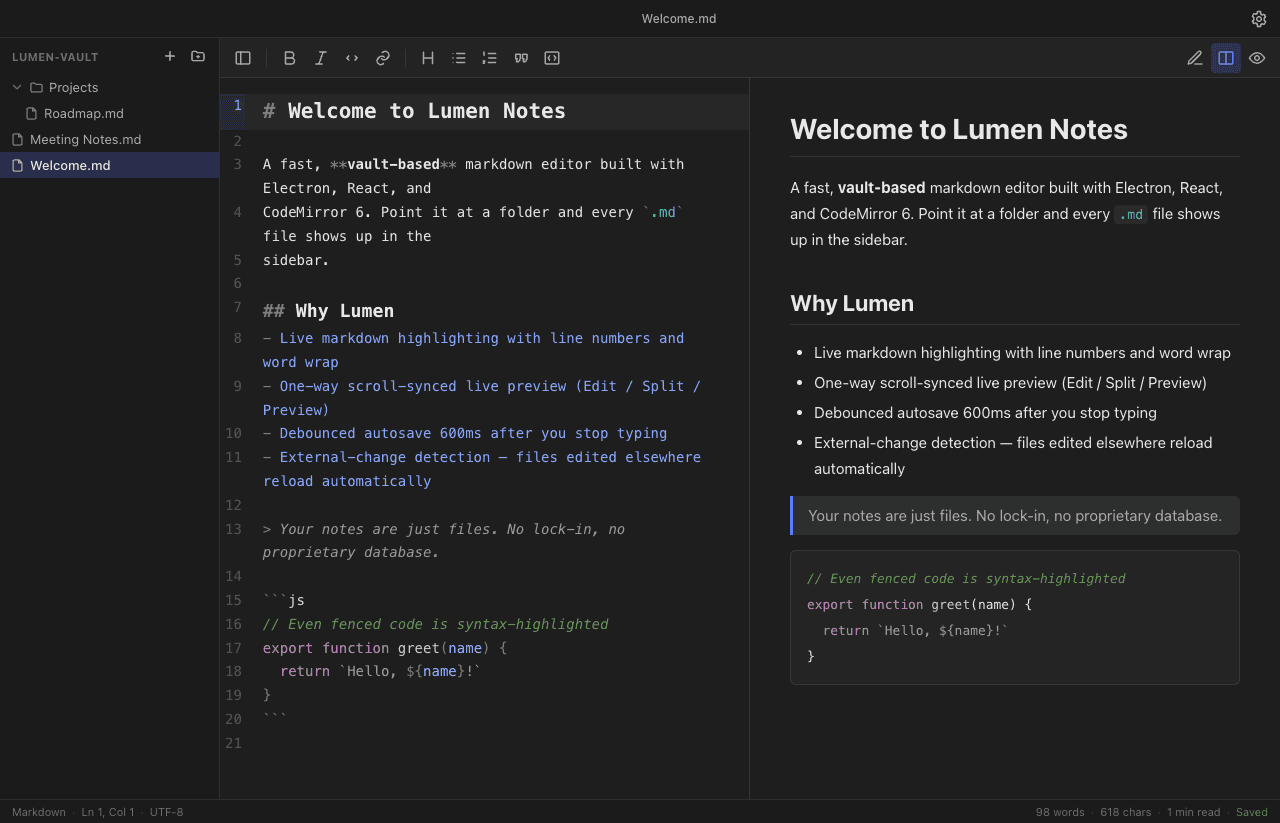
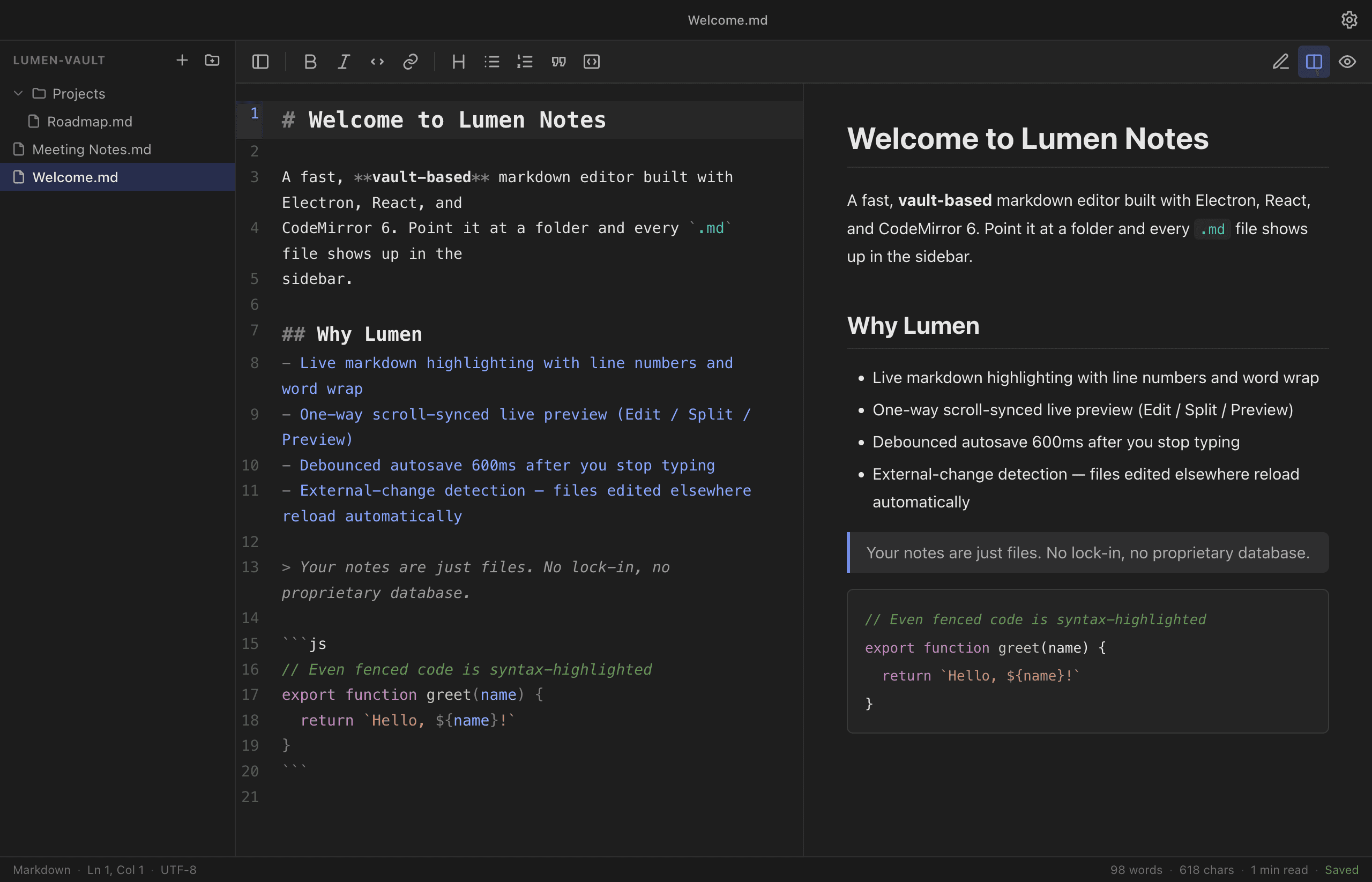
Lumen Notes — main project image

Desktop App · Productivity

A lightweight, fast markdown note-taking editor for the desktop: point it at a folder and every note appears in a sidebar tree, with a CodeMirror 6 editor, live preview, autosave, and optional Vim keybindings.

Project
Lumen Notes
Year
2025
Discipline
Desktop App
Stack
Electron · React · CodeMirror

Context

Lumen Notes is a desktop markdown editor built around a simple idea: your notes are just files. Point it at a folder and every `.md` and `.txt` file shows up in a sidebar tree — no proprietary database, no lock-in, no sync account required.

It's a focused, fast writing tool with the editor at the center and everything else kept out of the way.
Challenge

A file-backed editor has to coexist with the rest of the system rather than own its data. That means handling files edited outside the app, saving often enough that nothing is ever lost but not so often that it thrashes the disk, and never clobbering a user's unsaved work when a file changes underneath it.

On top of that, a code-grade editing experience — syntax highlighting, search, optional Vim mode — needed to feel instant inside a desktop shell.

Approach

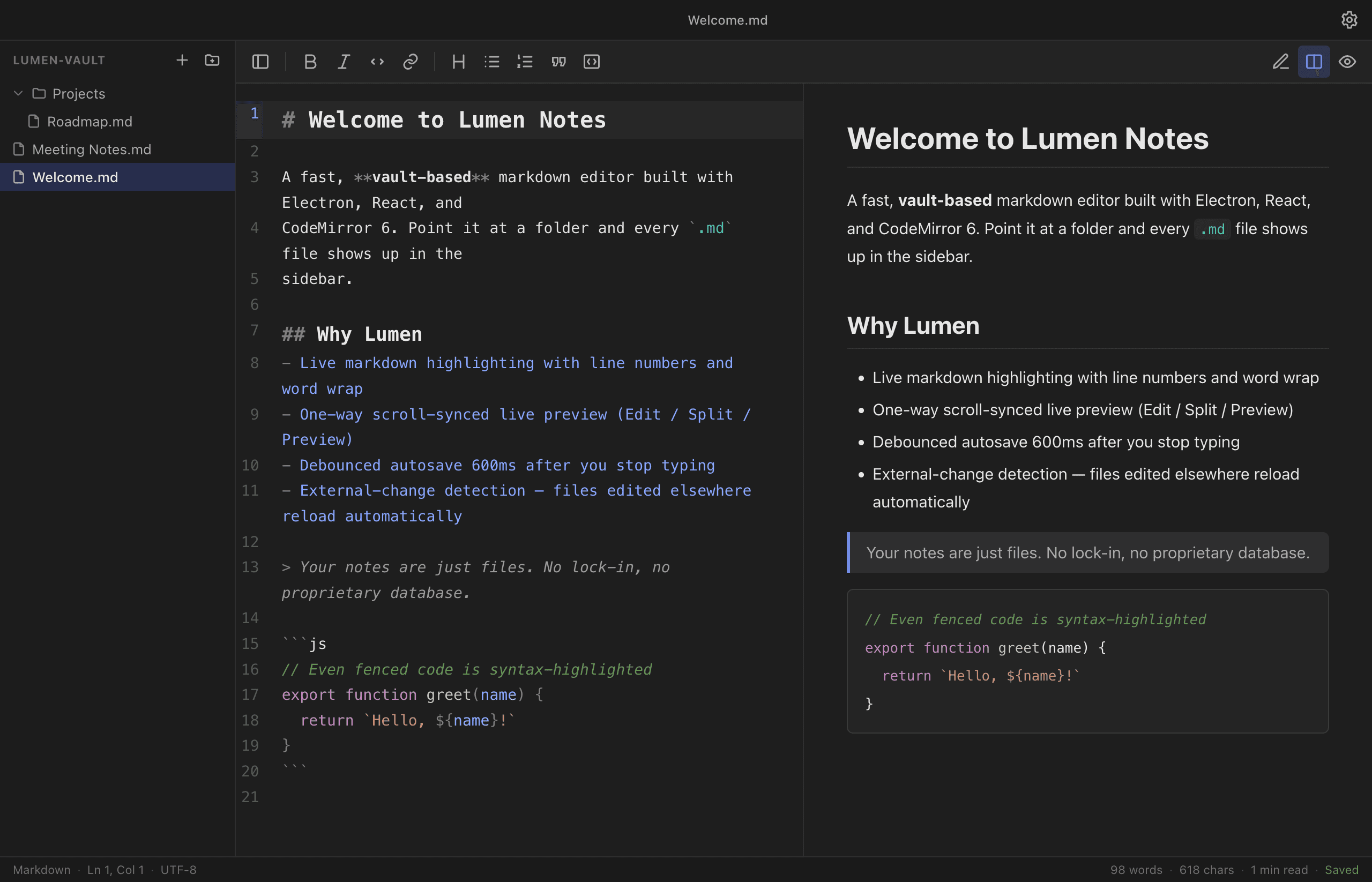
The editor is CodeMirror 6 with live markdown highlighting, line numbers, word wrap, and optional Vim keybindings, paired with a markdown-it live preview that syntax-highlights code blocks and offers Edit / Split / Preview modes. Autosave debounces writes 600ms after you stop typing.

External-change detection reloads files edited elsewhere automatically — but only when there's no unsaved work to protect. File and folder management (create, inline rename, delete to system trash) all happens from the sidebar.

Outcome

Lumen Notes ships as a complete, themeable desktop app: light, dark, and system themes with a custom-built CodeMirror theme, and a settings panel for font, size, tab width, keybindings, default view, line numbers, and word wrap — all persisted between sessions.

It packages to native installers for macOS, Windows, and Linux, so it's a real distributable application rather than a web demo in a window.

Technical Detail

Electron + React + CodeMirror 6, bundled with electron-vite (HMR in dev) and packaged via electron-builder. State is held in Zustand, settings persist through electron-store, and chokidar watches the vault for external changes.

Markdown rendering uses markdown-it with highlight.js for code blocks, and the CodeMirror theme is hand-built so the editing surface matches the app's light/dark modes exactly.

// Gallery

Split view — CodeMirror editor and live preview
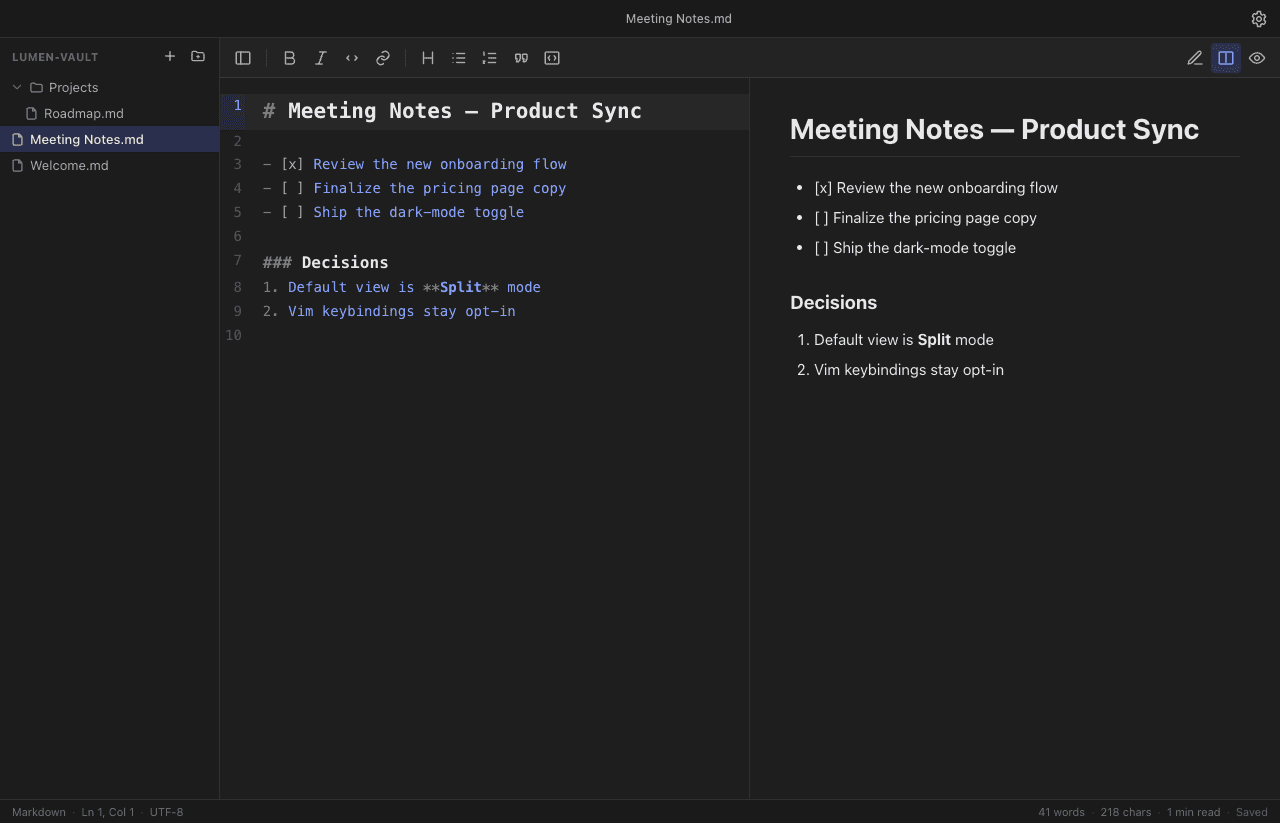
Another note open from the vault
Markdown with syntax-highlighted code blocks

// Next step

The next case study could be yours. Tell us what you're building and we'll tell you honestly how we'd ship it.