EVRION.
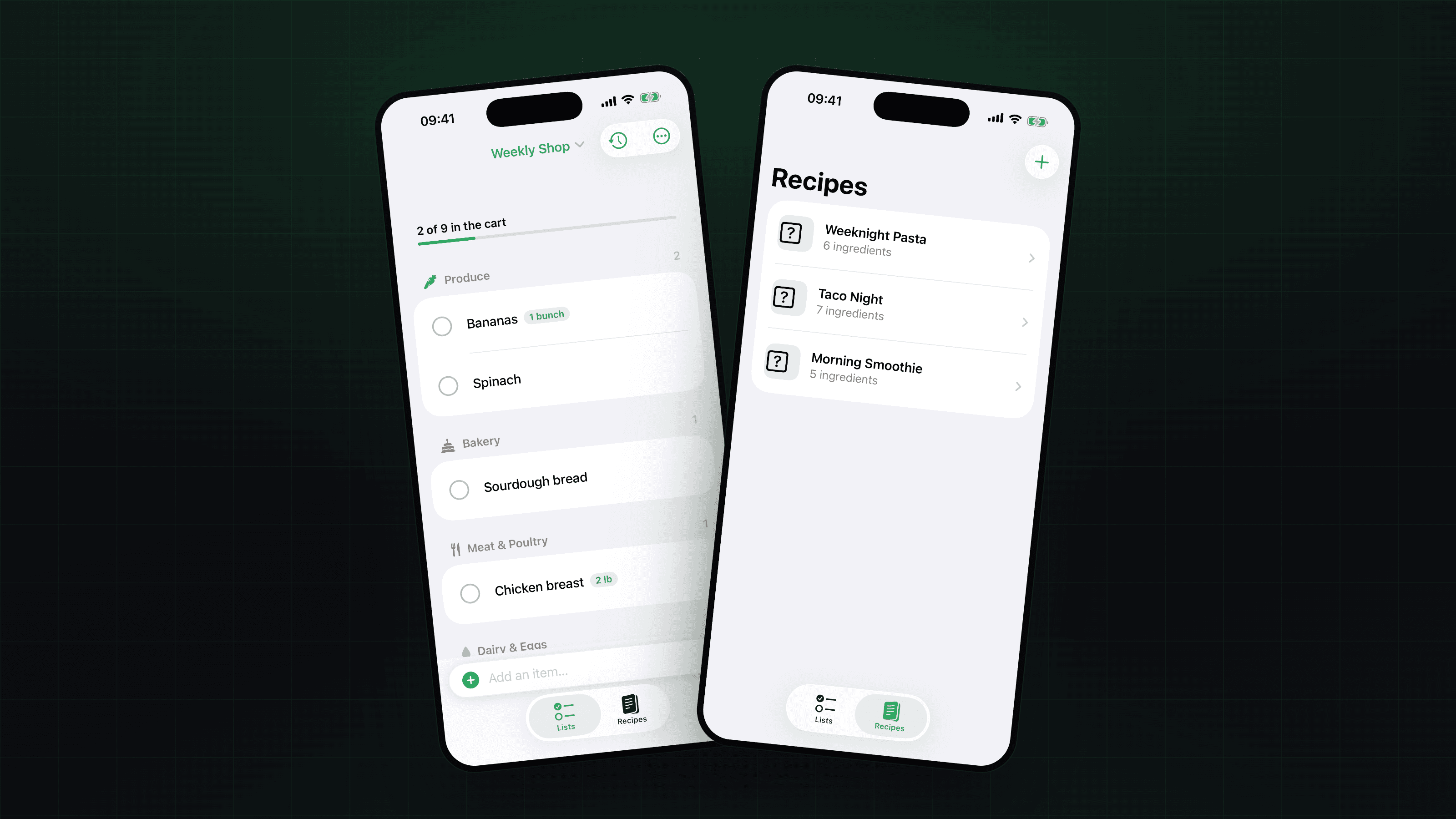
Basketful — main project image

Mobile App · Productivity

A fast, local-first grocery list app for iPhone and iPad, built in SwiftUI. It auto-sorts items into store aisles as you type, remembers what you buy for one-tap re-adding, and can push a whole recipe onto your list in a single tap.

Project
Basketful
Year
2025
Discipline
iOS · SwiftUI
Stack
SwiftUI · SwiftData

Context

Basketful is a native grocery list app built around how people actually shop: a persistent add bar sits in thumb reach at the bottom, clears itself after each item, and lets you rattle off a whole list in seconds.

The brief originally described a web app; it was deliberately built as a native iOS app instead, where 'works offline in a basement grocery store' isn't a feature you bolt on — it's just how the app works.
Challenge

A grocery list is only pleasant if it organizes itself. Making the user pick a category for every item kills the speed that makes a list worth using — but guessing categories wrong is just as annoying.

It also had to be genuinely useful the moment it opens, work with zero connectivity, and survive a force-quit or reboot without losing a single item.

Approach

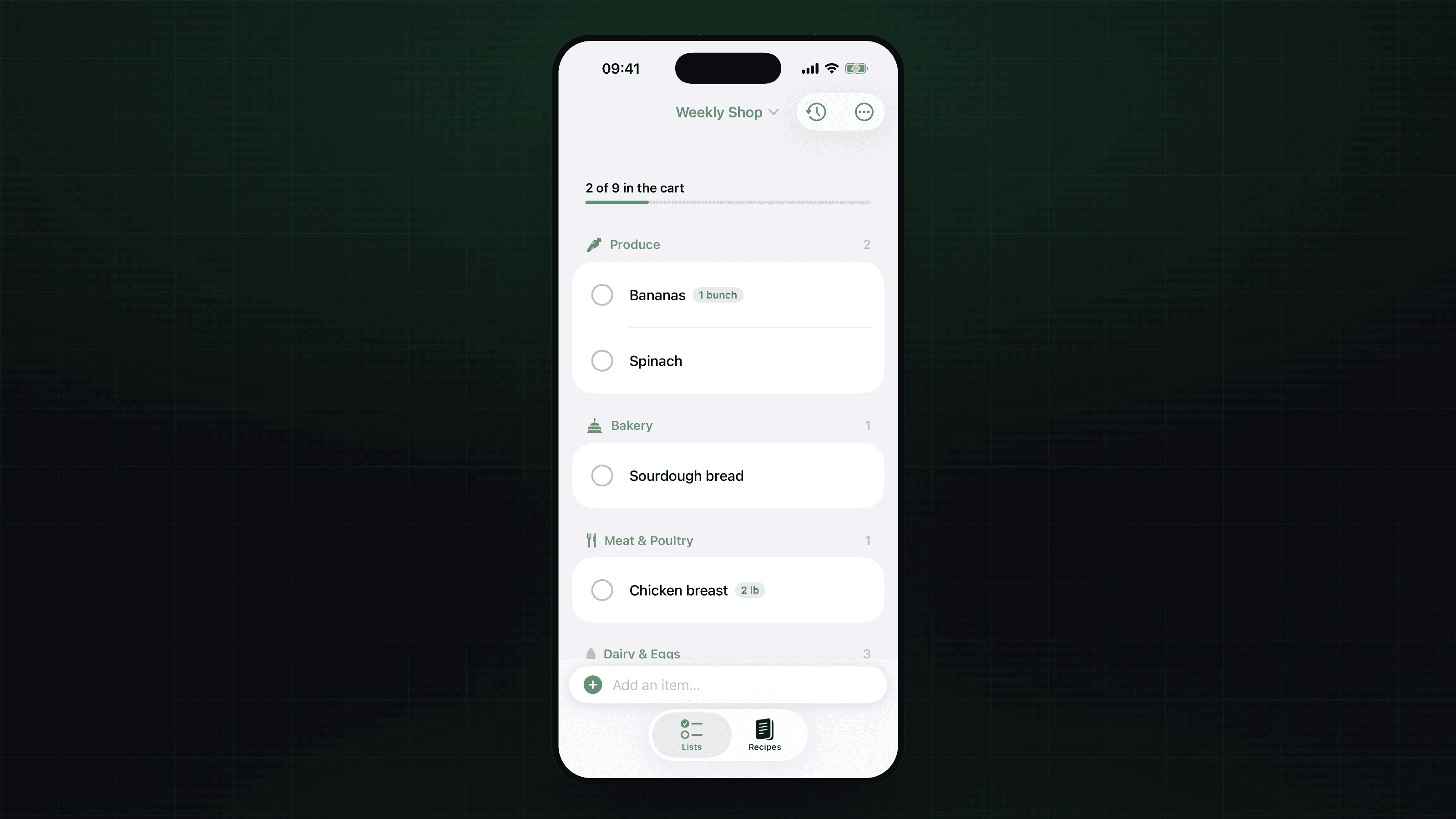
A built-in dictionary of ~250 common groceries files items into store aisles as you type — 'milk' into Dairy & Eggs, 'salmon' into Seafood — and the add bar previews the detected aisle live. Correct a wrong guess once and the app remembers it for next time.

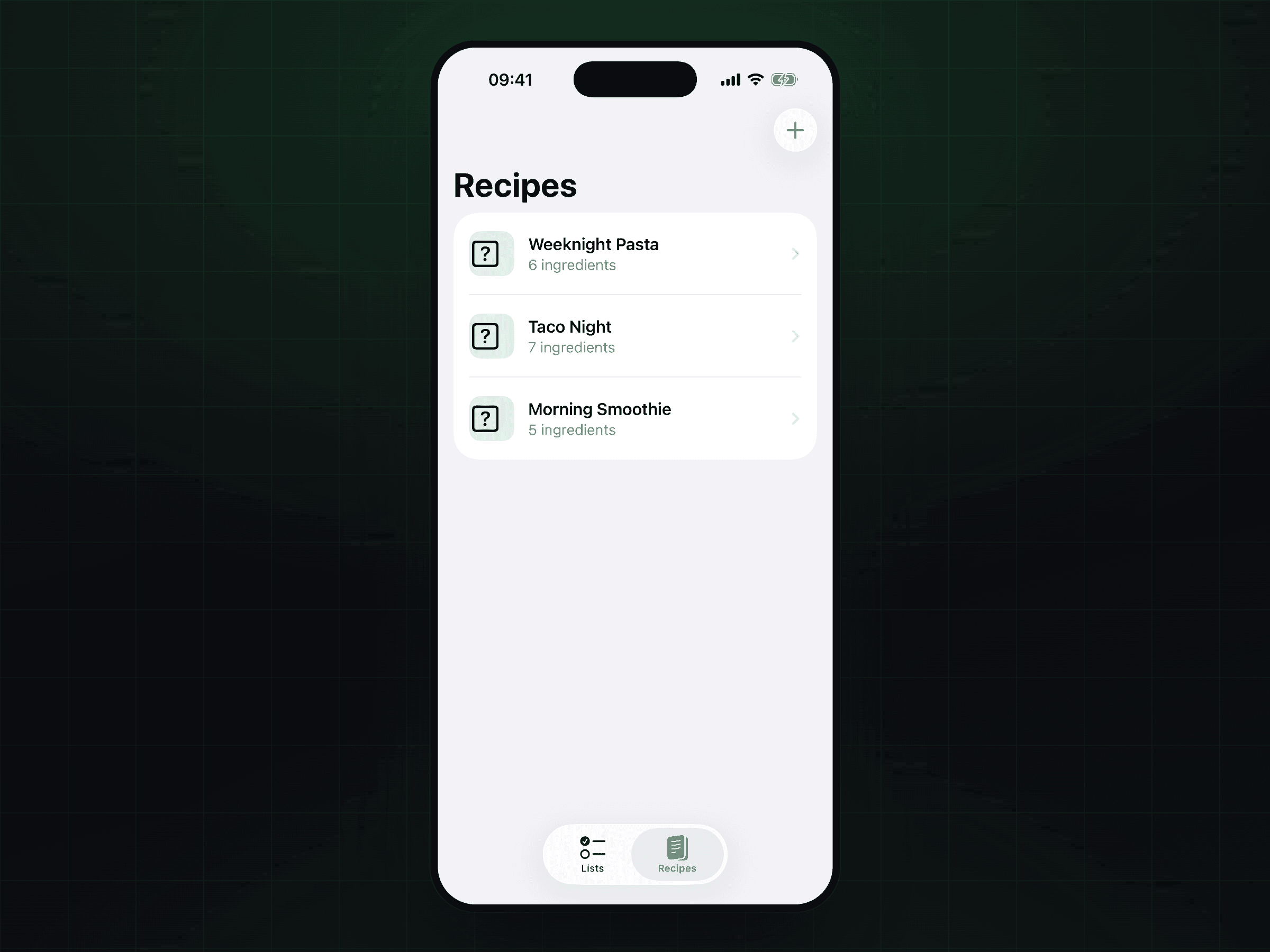
Every item you add is recorded, so a Buy Again sheet can surface your history by frequency or recency, and saved recipes push all their ingredients onto a list in one tap, each auto-sorted on arrival. All of it persists on-device with SwiftData.

Outcome

Basketful ships as a complete local-first app: multiple named lists, quantities and notes without ever becoming a form, a checked-off 'In the cart' section that's recoverable rather than destructive, and starter content on first launch so it's useful immediately.

With no network dependency at all, it launches instantly and keeps working in the one place you actually need it — a store with no signal.

Technical Detail

Built in SwiftUI for iPhone and iPad, with all data stored on-device in SwiftData (GroceryList, GroceryItem, ItemHistory, Recipe, RecipeIngredient). The categorization engine is a keyword dictionary with per-user learned overrides.

There is no network layer anywhere, which is what makes it inherently offline and privacy-preserving — nothing leaves the device.

// Gallery

The list, auto-sorted into store aisles as you type
Recipes — push every ingredient onto a list in one tap

// Next step

The next case study could be yours. Tell us what you're building and we'll tell you honestly how we'd ship it.